Hector Notes
Professional work log for Mac$90 a year
Beta this autumn · macOS

You know what you did. Your client doesn't.

Hector Notes keeps one client's work in one place: their badly written emails, your screenshots, the quotes, what you decided. What is done, what is moving, what is stuck and what comes next. When your client asks “where do we stand?”, the report is already written, ready to send. Your work is finally visible.

A few notes while I build, and the launch email.
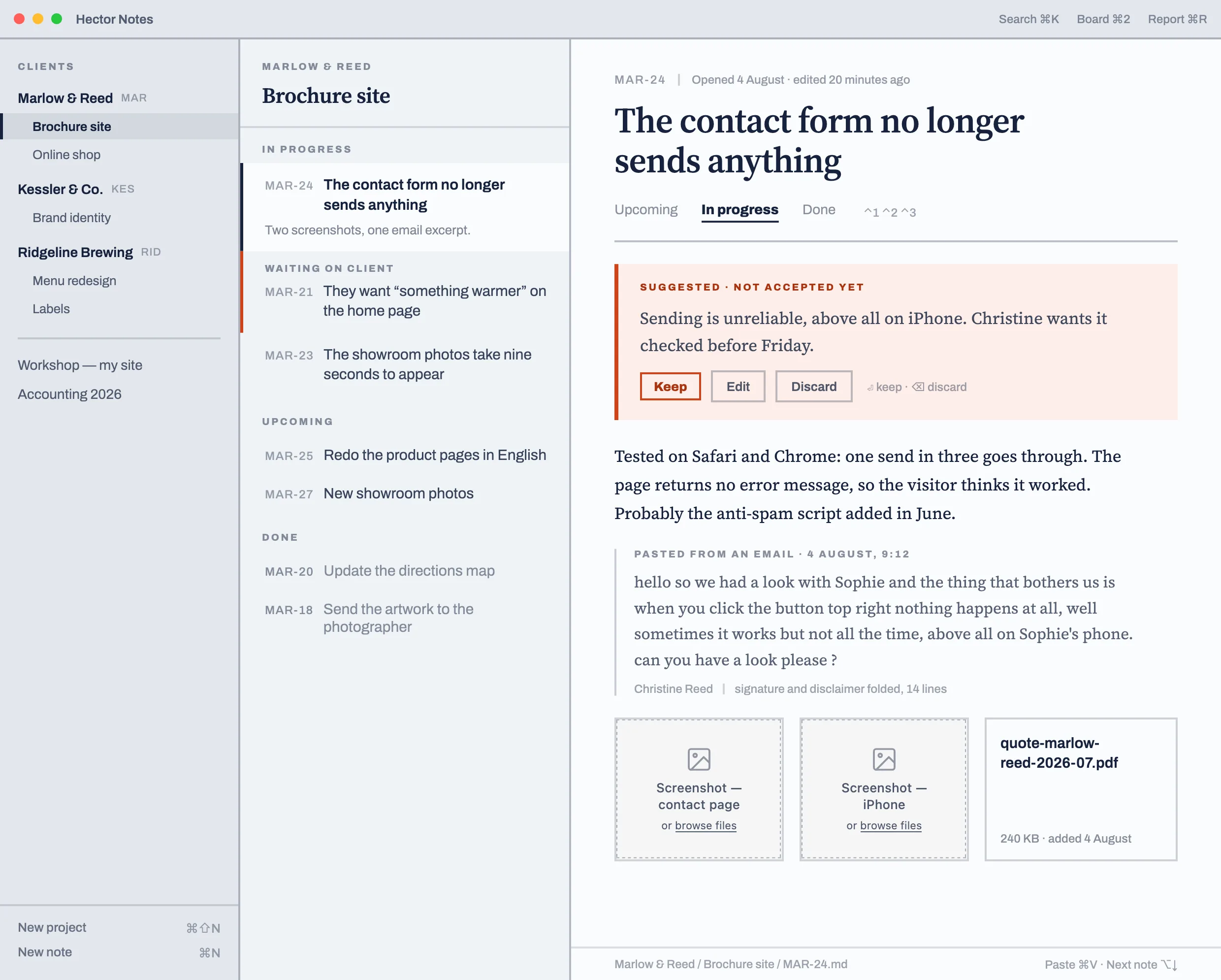
Hector Notes: the client list, the notes for Marlow & Reed’s Brochure site project, and note MAR-24 open — “The contact form no longer sends anything” — with the client’s pasted email, two screenshots and a quote.
The principle

One note = one problem. Everything about it lives inside.

The client's email
Paste the block as it came, with the typos, the quoted replies and the signature. The app files it without pretending it is tidy.
Screenshots and PDFs
The screenshot of the bug, the signed quote, the map that came by email. In the note, not in a “Downloads” folder.
What you decided
Two lines written after the meeting. That is what saves you in six weeks, when you have to explain why.
What is not there

Three columns. No dates, no priorities, no tags.

Up next, in progress, done. No coloured badges, no progress bars, no counter to push up. You have no team to steer: you have work to deliver.

Your notes stay with you: one folder per project, one markdown file per note, readable in any editor. No account, no server that shuts down in three years.

The board for Marlow & Reed’s Brochure site project: three columns, Upcoming, In progress and Done, with no dates and no tags.
Proposed · not yet approved

The app proposes, it never writes.

Paste a block of text: it suggests a clean title, a summary, a project to file it under. The suggestion stays visibly pending, on vermilion — keep it, correct it or throw it away. Nothing is written into your notes without you.

A vermilion box reading “Suggested · not accepted yet” carrying a suggested summary, with Keep, Edit and Discard buttons.
What nobody else does

Haven't we had this problem somewhere else?

Your notes are not a graveyard. Ask where a client stands, what has been dragging on too long, or whether you already solved this problem last year for someone else. Hector searches everything you have written — every client, every project, including finished notes and reports already sent.

Only the excerpts useful to your question are sent. The rest never leaves your Mac.
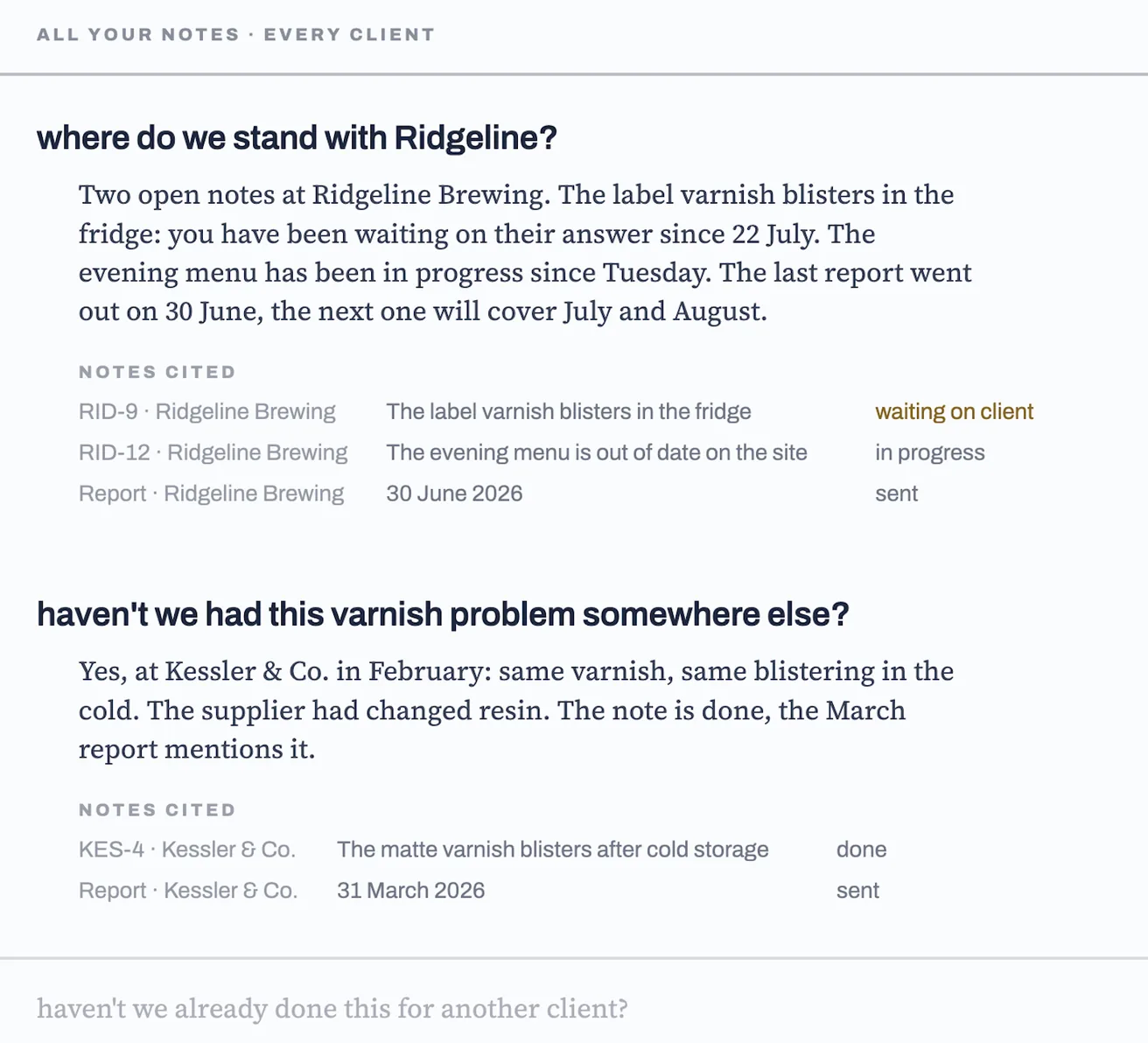
The search panel: two questions asked in plain language — where things stand with Ridgeline, and whether the varnish problem came up elsewhere — each answer followed by the notes it cites and their state.
Fabrice, independent developer in Rennes
Fabrice Independent developer, France
Who makes this app

Twenty years of reporting to clients.

I am an independent developer. For years I wrote my progress updates on Sunday evening, digging through my email to find what I had done. Hector Notes is the tool I wanted: it keeps the log, I read it over and send.
One developer, one email address, and someone who answers. $90 a year. Your notes stay on your Mac, in folders you can open without the app.
What your client asks for

Your client does not want software.

They have no use for Jira, tickets, sprints and tags. They will not open your tool, and they will not read the detail of what you do. They want to know three things.

01Is it moving?
02Is everything fine?
03And if it is stuck, tell me.
That is exactly what the report says, and nothing more.
The heart of the product

End of week, end of month: the report goes out.

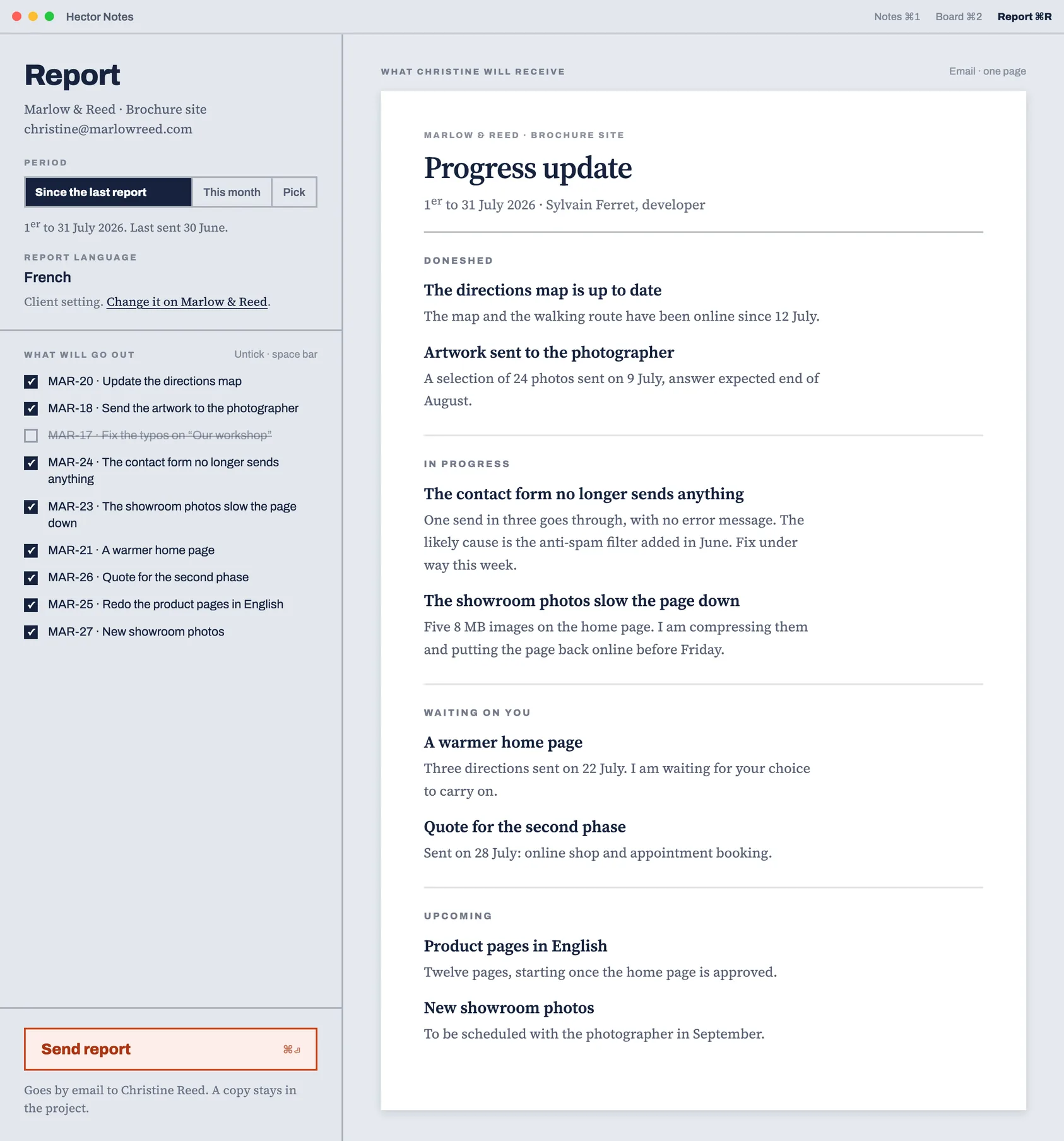
Choose the period. The app composes what is finished, what is moving, what is waiting on your client and what comes next. You untick what is none of their business, then you click Send the report.

Your client gets a precise view of where you stand, without ever opening software. The report language is set per client.

The report composed by the app: on the left the period, the report language and the list of what will go out; on the right a preview of what the client receives, grouped into done, in progress, waiting on you and upcoming.
Waiting list

Out this autumn. $90 a year.

Sold direct, outside the App Store. No monthly subscription, no “team” tier you will never take. Leave your address: you will get one message on release day, and nothing else.

One-click unsubscribe. No address passed to anyone.
Who it is forFreelances and studios of two to five people.
LanguagesFrench and English, equally. The report follows the client's language.
KeyboardEverything works without the mouse.
Hector Notes — Fabrice, independent developer in Rennes. Legal noticePrivacy and GDPR